
Publish Markdown from Hermes Agent
Hermes Agent runs across your server, terminal and messaging apps and remembers project context. OpenDocs gives the Markdown it writes a stable link your team can read and it can update.
“Write this week's engineering brief and publish it to OpenDocs.”
$ opendocs publish engineering-brief.md --project Briefs --json
✔ Published successfully
  URL: opendocs.cc/yourteam/projects/briefs/engineering-brief
Set up in a minute
- 1
Give Hermes Agent the skill
The skill teaches your agent to publish, organize and export. No Node.js? The second command installs a bash version.
A PromptScript error at the end of the first command is a known installer bug. The skill is still installed.
- 2
Sign in with an emailed code
No browser needed: a 6-digit code arrives by email. New accounts get a workspace right away. Install it wherever Hermes runs commands: a server, container or terminal.
- 3
Ask Hermes to publish
Hermes can draft the doc, publish it, remember it, and update the same link next week.
Or skip steps 1 and 2: copy the setup prompt above and paste it into Hermes Agent.
Ask for a PDF, get it on brand
Hermes Agent hands OpenDocs the Markdown; OpenDocs does the typesetting with your workspace's colors, font and logo, so the agent spends its tokens on the writing.
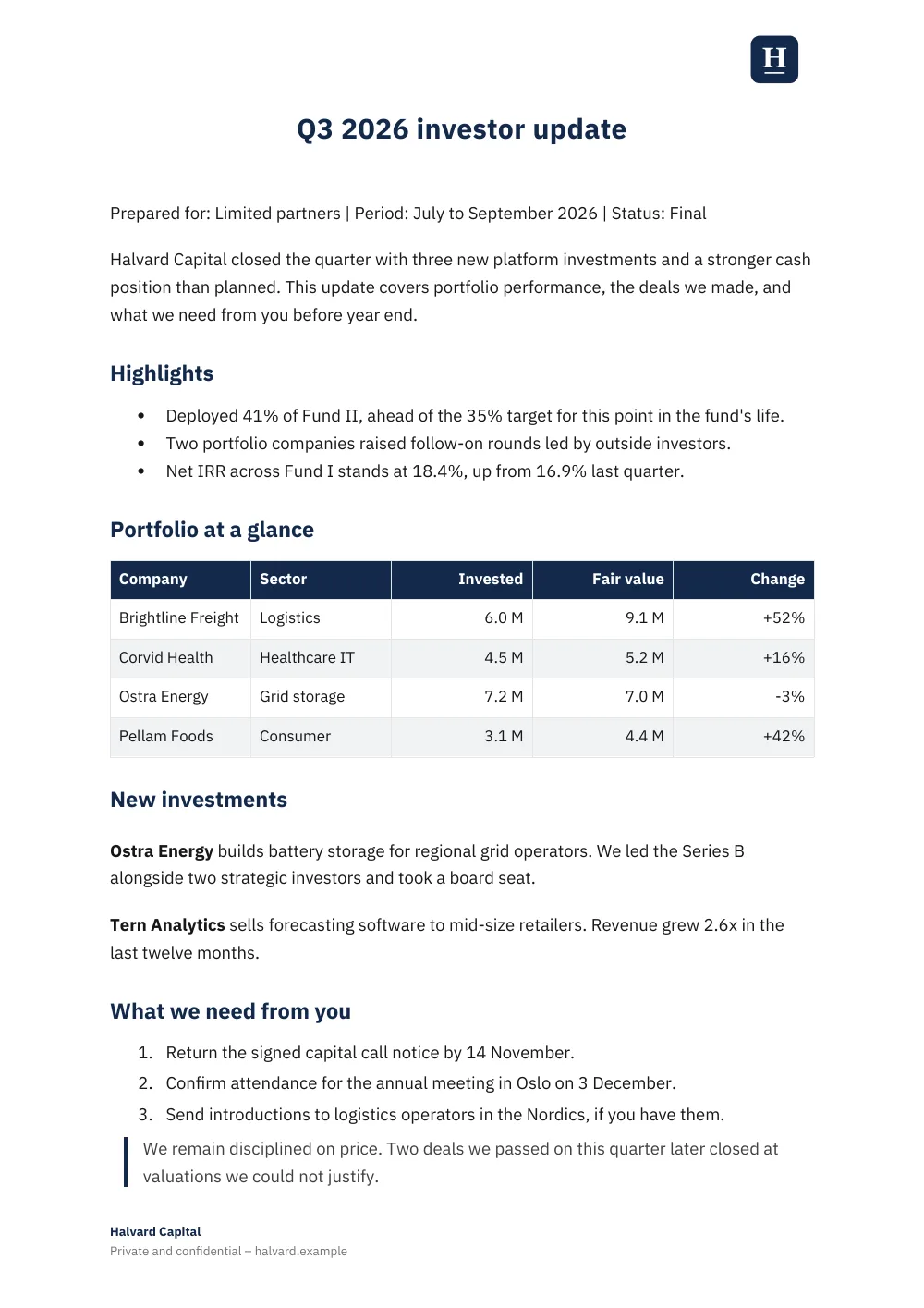
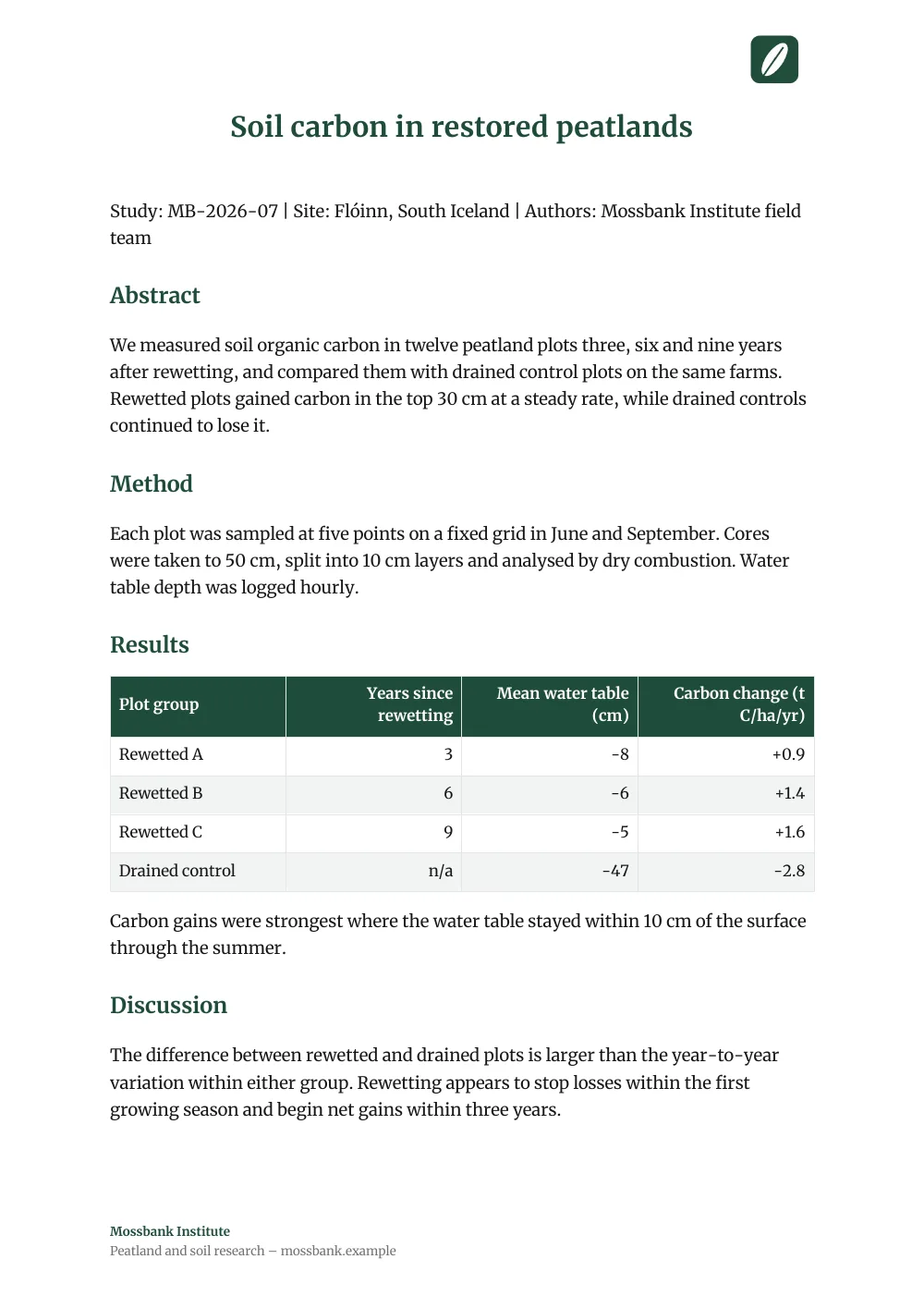
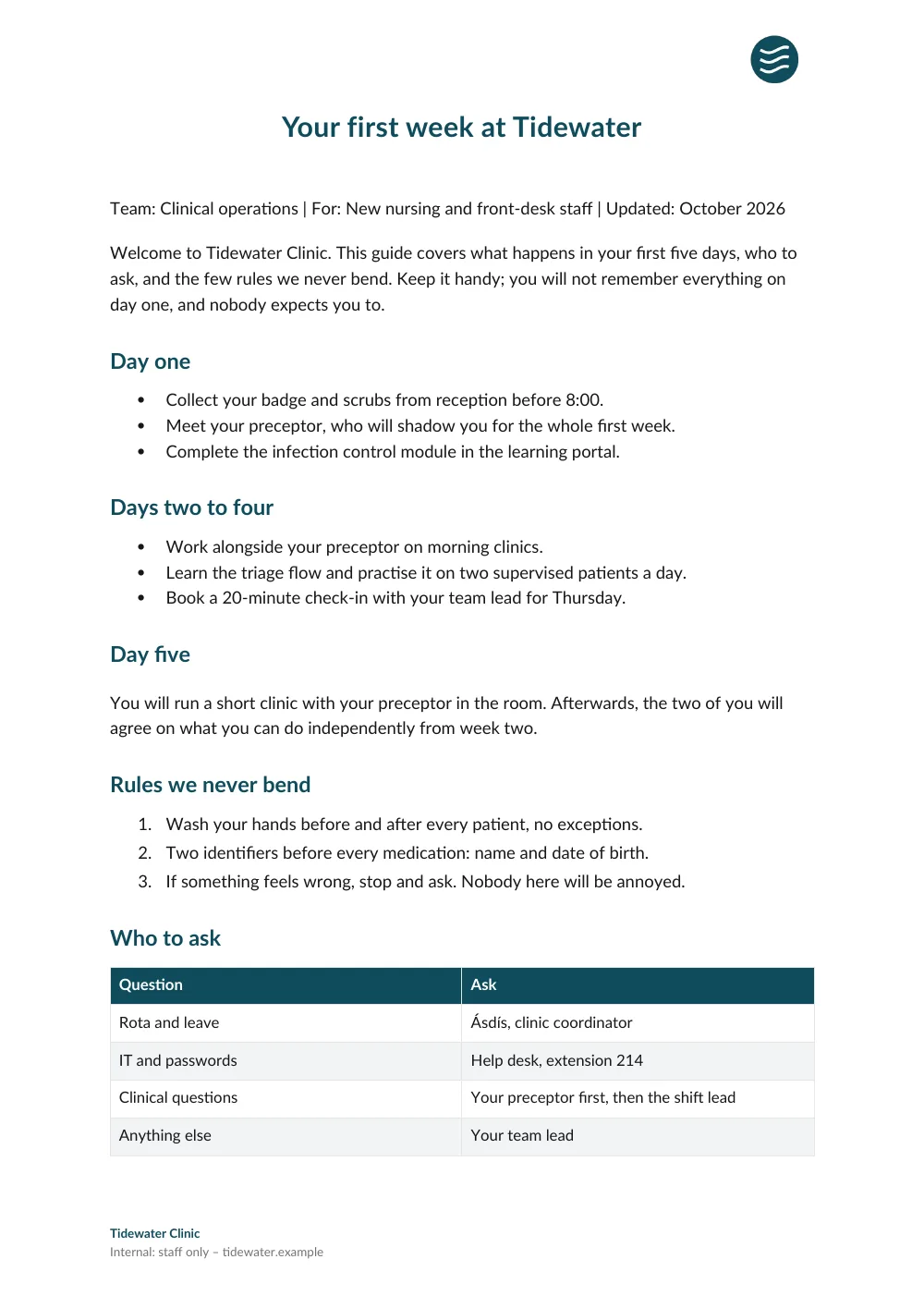
Real exports from Markdown, each with a different preset and logo.See the examples
Works the same with
Hermes remembers it. OpenDocs publishes it.
Give long-running agents a clean publishing target with a link your team keeps.
Free for up to 50 documents. No credit card.